



Using GA4 can be a learning curve for many of us – but Google is doing its best to make life easier by updating the tool regularly.
However, navigating to Google’s release notes and understanding the impact of these updates isn’t the most intuitive process when we’re swept up in day-to-day business.
That’s why we’re stepping in to explain, in clear terms, what the latest GA4 updates mean – and why you should care about them.
Let’s take a look at the misconfigured deep links recommendation.
Misconfigured Deep Links
Overview
Businesses no longer have to manually identify and troubleshoot misconfigured deep links.
GA4 now provides automated recommendations for fixing deep links that fail to direct users to a mobile app when they have it installed.
What was happening before?
Users had to rely on manual testing and debugging to identify deep link issues.
- Businesses often had to test individual deep links manually, ensuring they redirected users to the correct app page.
- If issues were discovered, debugging involved reviewing server logs or analysing app code to pinpoint misconfigurations.
- Insights into misconfigured links were typically reactive, based on user complaints or feedback, leading to delays in addressing problems.
For teams with high traffic or complex app ecosystems, this process was time-consuming and prone to errors.
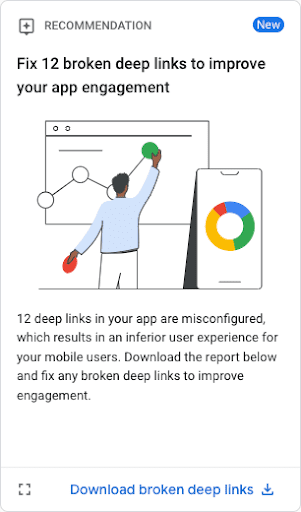
What happens now?
GA4 surfaces misconfigured deep links automatically and provides detailed recommendations.
- A new feature identifies missing or broken deep links in app data streams and lists them in an exportable CSV file.
- Businesses can access the data with a simple click, eliminating the need for custom data collection.
- The report highlights which App Links (Android) or Universal Links (iOS) need fixing, streamlining collaboration with development teams.
What does it mean for me?
Less manual work. Businesses can now focus on improving app user experiences and boosting conversions without wasting time on tedious troubleshooting.
- Improved efficiency: Developers and marketers have a clear roadmap for fixing issues.
- Better user experience: Seamless app navigation leads to higher engagement and satisfaction.
- Enhanced data tracking: Accurate link configurations help capture user journeys and drive better decisions.
With this update, GA4 makes it easier to maintain an optimised mobile app experience, saving time and improving results.